Silicone Rubber Buttons for Heavy Equipment: Improving Glove-Friendly Operation
Silicone Rubber Buttons for Heavy Equipment: Improving Glove-Friendly Operation
On most heavy equipment panels the operator never touches a button with a bare finger. The glove goes on at the start of the shift and stays on, through locating a start key, confirming a mode and stopping a cycle. Gloves are the interface, and that changes what Silicone Rubber Buttons for Heavy Equipment have to do.
The conflict is easy to state and awkward to design around. Force must be high enough that a gloved finger feels the actuation, and low enough that the same finger, now wider and less sensitive, does not fire the key beside it.
Why Glove-Friendly Operation Matters with Silicone Rubber Buttons for Heavy Equipment
A glove does not simply sit between finger and cap; it changes the shape of the actuator. A layer of fabric, leather or coated knit spreads load over a wider area than a fingertip, so the same press arrives as a broader, flatter contact patch with a lower pressure peak. Two things are lost together: the pressure gradient that tells the finger where a key ends, and the force resolution that tells it how far the key has travelled.
- Reduced finger sensitivity. Load spread over a wider patch makes a light detent register as almost nothing.
- Limited dexterity. Gloves resist bending at the joints, so a single-finger press becomes less precise.
- Difficulty locating buttons. A cap narrower than the glove's contact patch cannot be found by its outline, so the operator hunts by height or texture.
- Slippery surfaces. Oil and dust reduce grip on a glossy cap, and a finger that slides can land on the neighbour.
- Fatigue. A force chosen for a bare hand is paid for by the arm across a shift.
The conclusion is not that gloves make panels worse. Glove-friendly control buttons can be designed deliberately, and the levers are geometry and force rather than a softer compound.
Common Problems with Operating Control Buttons While Wearing Gloves
Field complaints on gloved panels cluster into four groups, each with a different cause. Softening the whole sheet is the usual first reaction, and it repairs none of them.
Buttons Are Too Small or Closely Spaced
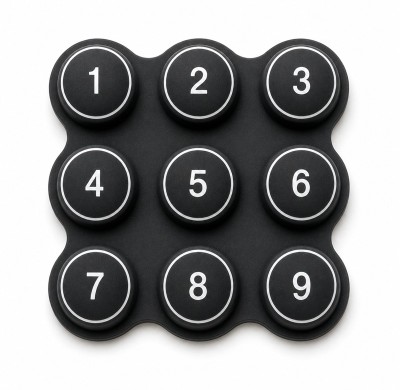
When the gap between two caps is narrower than the glove's contact patch, the operator is effectively pressing two keys and hoping. Accidental operation is not carelessness; it is arithmetic. Two identical caps also present the same surface to a finger that cannot read edges.
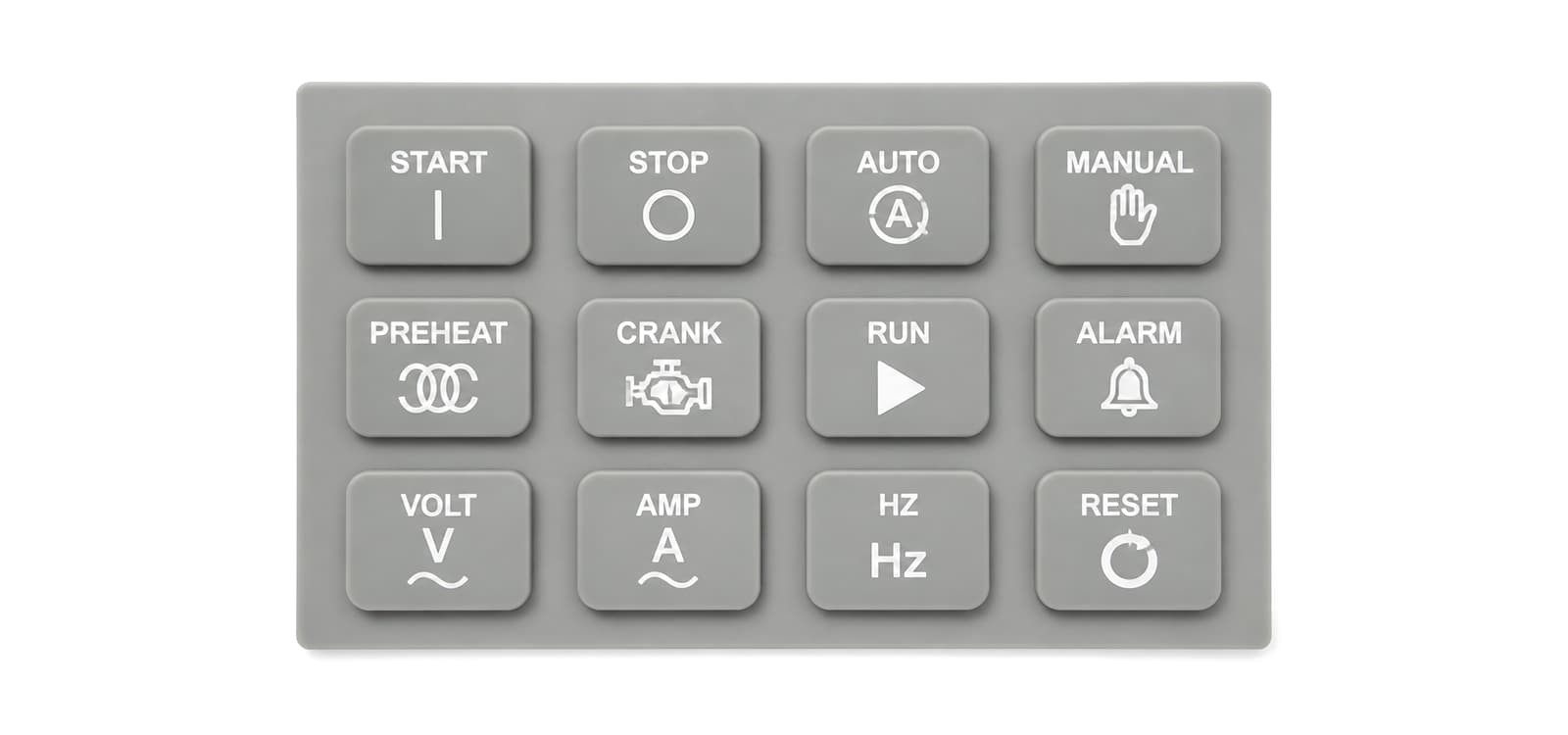
Where the housing allows a wider pitch, that is the lowest-cost correction. Where it does not, the options are a divider rib moulded into the sheet, a force difference between neighbours, or recessing the function that must not be struck by accident.
Insufficient Tactile Feedback
Feedback is the change the finger feels as the cap crosses its switching point, not the effort required. A key can be stiff and still feel vague when force barely changes across the last fraction of a millimetre.
Excessive Actuation Force
Force that suits a braced hand is punishing for a hand held away from the body. The glove absorbs part of the press before the cap sees any of it, so the operator presses harder still.
Smooth or Poorly Designed Button Surfaces
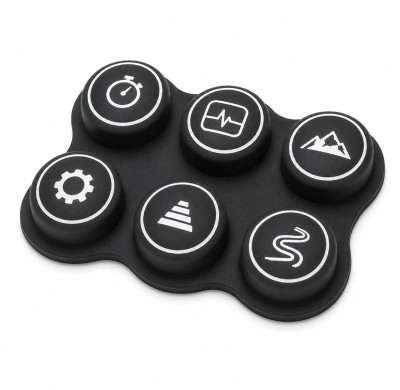
A glossy domed cap with no texture and no raised legend gives a gloved finger nothing to grip and nothing to read. Surface geometry does two jobs: it provides friction so the finger does not slide, and it encodes function. Raised symbols or a distinct profile on the stop key survive a glove; a printed label does not.
One caveat: a textured cap can read as a dirty cap on a machine that already looks tired.
How Silicone Rubber Button Design Affects Gloved Operation
Four decisions set how a gloved press behaves: cap size and shape, force and travel, web stiffness, and texture.
Button Size and Shape
Cap diameter sets how much of the glove's contact patch lands on the intended key. When a cap is smaller than the patch, the surplus load goes to the neighbouring key or the sheet between them.
Height matters just as much, because it is what the finger finds before it presses. A cap standing proud of the bezel with a domed face centres the glove; a flat cap sitting flush offers no directional cue.
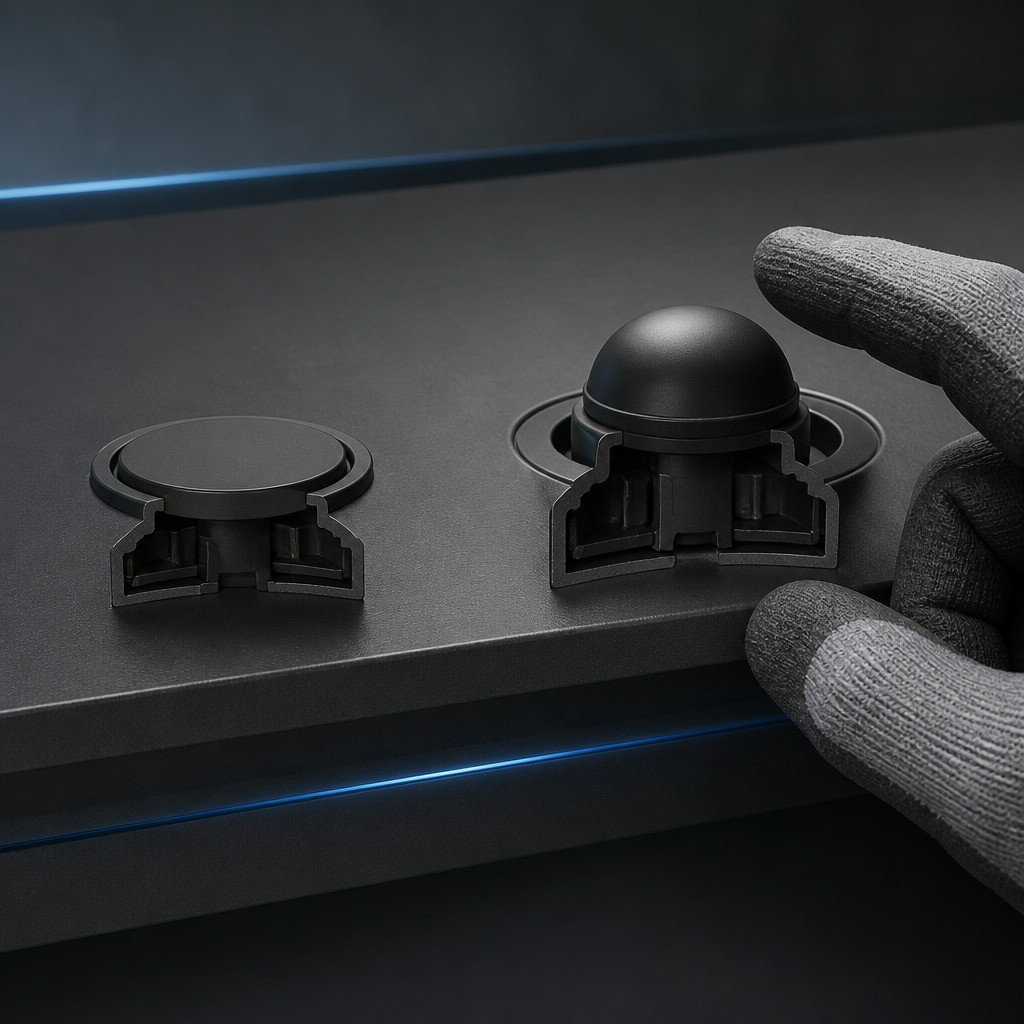
No universal dimensions follow. A panel for thin gloves and one for heavy-duty gloves can share components and still behave differently, so the glove belongs on the drawing before a diameter is fixed. Power-tool panels run the same argument in a harsher direction, as this review of the key design challenges of silicone buttons for angle grinders shows.
Tactile Force and Actuation Travel
Force and travel are separate variables, and drawings often specify only one. Actuation force is what the finger must deliver at the top of the cap to close the contact; travel is how far the cap moves while doing it. Tactile silicone buttons feel decisive when force peaks, drops as the contact closes, and leaves travel to spare past that point.
Under a glove the usable portion of that curve shrinks: part of the press is absorbed before the cap moves, and part of the return is masked. Short travel narrows the window between not registered and pressed past bottom, and this published summary of the typical actuation force range for an instrumentation silicone keypad, and how far it can be tailored is a starting reference, not a target to copy. What matters is the shape of the curve, not its extremes.
Flexible Web Geometry
The web is the thin membrane joining each cap to the sheet, and it is the spring of the system. Its thickness, the opening beneath the cap and the radius where it meets the cap all shape the force curve: thicken the web and the cap stiffens, enlarge the opening and the same thickness becomes softer.
That gives two levers. Force can be tuned by geometry without changing the compound, so one sheet can carry ordinary keys and a heavier stop key. A stiffer web also returns the cap faster, and a cap left partly depressed makes the next press start from the wrong position.
Surface Texture and Identification
Identification is where a design pays off most in a glove. Colour coding helps only in decent light; shape, height and texture work with the eyes closed, so the usual pattern is to reserve one texture or raised symbol per family of functions.
Mold-etched texture, covered in this note on how mould etching affects tactile feel, builds that difference into the tool rather than into a later process step. Texture and legend then compete for the same surface: deep texture wears printed legends faster under a glove, the mechanism described in this study of friction wear on keypad legends after repeated glove use.
Silicone Material Considerations for Heavy Equipment Rubber Buttons
Material selection follows the geometry decision rather than directing it. The properties that matter most on a gloved panel are hardness and elastic recovery, and both are specified by test method.
Hardness is measured by durometer indentation, and ISO 48-4:2018 defines the method for rubber and elastomers. A softer compound makes a given web easier to press, but it also lets the cap deform sideways when a gloved finger presses off-centre.
Recovery decides whether the panel still feels the same after a year. ISO 815-1:2019 defines compression set as the permanent deformation remaining after a specimen is held compressed and released. At button scale: after thousands of presses, how much height does the web give back? A cap that has lost height sits closer to the contact plane and can begin to hold a circuit closed.
Temperature belongs in the same discussion, since silicone buttons for construction equipment spend winters cold and summers hot. No single grade suits a cab panel, an engine-side enclosure and a handheld service tool at once.
Designing Buttons for Different Glove Types
The glove is a specification, not an assumption, and it belongs on the drawing. Protective gloves are covered by ISO 21420:2020, which sets out general requirements and test methods, and it makes the glove a defined item rather than whatever the operator happens to bring.
| Glove category | What it does to the press | What it changes in the button design |
|---|---|---|
| Thin work gloves | Modest load spreading, most force resolution retained | Moderate height and pitch; identification can lean on texture |
| Protective gloves, coated palm | Wider patch, reduced sensitivity, some slip on gloss | Larger caps, clearer rim, more separation or a force delta |
| Heavy-duty industrial gloves | Large patch, low resolution, much of the press absorbed | Raised, well spaced caps and force tuned to the absorbed loss |
Two gloves of the same nominal size can behave differently, because coating, lining and wear all matter. Hence testing with the actual glove. A layout that works for thin gloves can be unsafe with heavy-duty protection, because the actuator changed.
Common Design Mistakes That Make Glove Operation Difficult
These are the faults that come back most often from a field evaluation of heavy equipment rubber buttons. Most are visible on the drawing.
- Buttons are too flat. A flush cap gives no edge to find and no height to guide the finger.
- Actuation force is too high. Force copied from a bare-hand panel leaves the gloved operator over-pressing; the fix is web geometry.
- Button spacing is insufficient. A pitch narrower than the glove patch invites accidental presses.
- Surface markings are unclear. Low-contrast legends and identical profiles fail in dim light.
- Tactile feedback is inconsistent. Unit-to-unit variation in cap height or web thickness turns learning the panel into guesswork.
- Button travel is too short or too long. Both remove the sense of a definite event.
- Housing design causes finger interference. A bezel lip close to the cap blocks a gloved finger even when the key is well designed.
Only one of those seven is about the rubber compound. Most gloved-operation complaints are layout problems arriving at the keypad supplier's desk in a material costume.
How to Test Silicone Rubber Buttons for Glove-Friendly Operation
Glove-friendly operation is verified by putting the intended glove on a hand and pressing real parts, not by reading a force figure off a drawing.

Define the Intended Glove Type
Write the glove into the specification, including thickness class and coating, and obtain the actual gloves for testing rather than a stand-in.
Evaluate Button Identification
Ask testers to find a named function with the keys covered or the lights off, and record how long it takes and how often they land on the wrong key.
Measure Actuation Force
Measure force at the top of the cap with a gauge, on several keys across the sheet rather than the centre one. Compare the bare-finger figure with the force applied through the glove; that difference is what the operator pays.
Check Accidental Activation Risk
Press every key deliberately off-centre, toward each neighbour, and record which circuits close by mistake. This exposes a pitch that is too tight or a web that is too soft, and it matters most on the pairs that hurt: start against stop, jog against cycle.
Evaluate Repeated Operation
Run a sequence typical of the application, long enough to reveal fatigue and mechanical drift. Repeated compression is where material behaviour changes, which is why ISO 815-1:2019 is relevant: a web that loses height under sustained load changes both feel and travel.
Review Operator Feedback
Ask what the operator had to do to be sure a press registered, and listen for compensation language: pressing twice, holding longer, watching the display instead of the keys.
One caveat: a bench trial with a clean glove always looks better than month six. Where the application allows, repeat the evaluation after dust and temperature exposure; the surrounding enclosure is classified separately under IEC 60529.
Customization Options for Heavy Equipment Silicone Rubber Buttons
Most of the levers above sit inside a single custom rubber keypad, which is why the geometry decisions are worth arguing about before the tool is cut.
- Button geometry. Cap diameter, height above the bezel, face profile and rim, set per key rather than as a sheet average.
- Material hardness. A compound within the range the mould fills reliably, with the web matched to it.
- Colour coding. Used for grouping functions, on the understanding that colour alone fails in low light.
- Surface symbols. Raised or moulded-in marks that do not rely on a printed legend wearing through.
- Conductive carbon contacts. Contacts matched to the PCB pad pattern, with the alignment allowance agreed on both drawings.
- Backlighting compatibility. Light paths sized so added cap height does not shadow the legend.
- Mounting structure. Locating pins, ribs and a sealing skirt that hold the pitch and keep dust out of the contact area.
The review list is short but consequential: name the glove, set the pitch against the glove's contact patch, define force and travel as a curve rather than one number, and agree contact alignment across the keypad and PCB drawings before tooling. The wider set of machinery rubber and plastic product solutions covers how keypad, housing and gasket decisions interact when they are reviewed together.
Conclusion
Glove-friendly Silicone Rubber Buttons for Heavy Equipment come down to a balance drawn deliberately. Force must be high enough that a gloved finger feels the actuation and low enough that it does not fire the neighbouring key. The levers are contact patch against pitch, web stiffness against return force, travel against detent, and raised geometry against a crowded bezel.
Two habits prevent most of the trouble: name the glove before fixing dimensions, and evaluate parts with that glove in hand rather than on a drawing. On an industrial silicone rubber keypad the buttons share one sheet, so a change for one key moves its neighbours too.
A custom silicone keypad supplier can help equipment manufacturers review button geometry, PCB alignment, material selection and tooling requirements before production. FromRubber, the brand of Dongguan Bohao Electronic Technology Co., Ltd., has worked on more than 6,500 custom silicone projects since 2010. The useful deliverable at this stage is a measured result on the intended glove, not a promise about one.
FAQ: Silicone Rubber Buttons and Gloved Operation
What makes silicone rubber buttons suitable for gloved operation?
The material is moulded, so the cap profile, the spring web and the surface texture are shaped in one part. One sheet can carry raised keys, recessed keys, ribs and textured groups of functions at no extra assembly cost, and silicone returns to shape after compression.
How does button force affect heavy equipment operators?
Force sets both the effort of a single press and the risk of an unintended one. Too high and the operator over-presses and tires sooner; too low and a rough site or a heavy glove triggers keys that were never aimed at. Force is most usefully treated as a range with a defined detent.
Should heavy equipment buttons have textured surfaces?
Texture helps twice: it adds friction so a gloved finger does not slide, and it separates one function from another by feel. A panel where the stop key carries its own texture and the mode keys share another is easier to operate blind, though printed legends wear faster on deep texture.
How are silicone rubber buttons customized for control panels?
Customisation starts from the panel drawing rather than from a size list. Geometry is set per key, hardness is chosen to match the web, and colour, symbols and backlighting are added around that. The contact side then has to line up with the PCB pad pattern, including the alignment allowance between both drawings.
Can silicone keypads be designed for thick protective gloves?
Yes, but the design has to be built around the glove instead of adjusted at the end. The practical steps are larger caps with clear separation, more height for the finger to find, a detent that reads through fabric, and identification carried by shape and texture.
Sources and standards referenced
- ISO 21420:2020 Protective gloves - General requirements and test methods. https://www.iso.org/standard/69030.html
- ISO 48-4:2018 Rubber - Determination of hardness - Part 4: indentation hardness by durometer method (Shore hardness). https://www.iso.org/standard/74969.html
- ISO 815-1:2019 Rubber, vulcanized or thermoplastic - Determination of compression set. https://www.iso.org/standard/74943.html
- IEC 60529 Degrees of protection provided by enclosures (IP Code). https://webstore.iec.ch/en/publication/2452