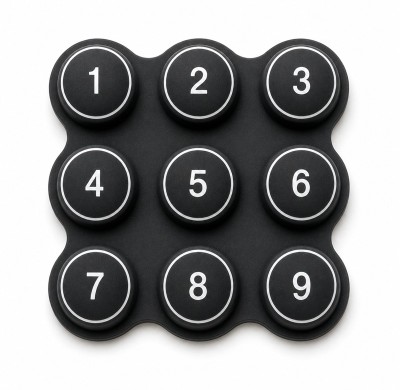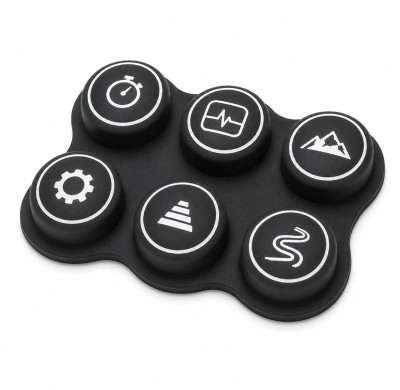
What actuation force range is typical for an instrumentation silicone keypad, and can it be tailored to operator ergonomics?
Typical Actuation Force for Instrumentation Silicone Keypad
Instrumentation devices – from multimeters to medical monitors – require a balance between preventing accidental presses and ensuring fatigue-free operation. Industry standards and ergonomic studies converge on 150–250 grams-force (gf) as the sweet spot for most applications. This range provides a firm, deliberate actuation without causing finger fatigue during extended use.
Below 150g, the risk of inadvertent activation increases, especially in handheld or portable instruments. Above 250g, operators – particularly those with smaller hands or reduced dexterity – may experience discomfort over long shifts. Within the 150–250g band, the keypad feels precise, controlled, and professional — exactly what instrumentation OEMs aim for.
Operator Ergonomics Factors
- Finger strength: Average index finger push force is ~350g; sustained use above 200g causes fatigue.
- Hand size: Smaller hands benefit from lower forces (150–180g); larger hands can handle 220–250g.
- Usage frequency: High-frequency keys (e.g., "Enter", "Start") should be at the lower end of the range.
- Glove use: Industrial or medical gloves reduce tactile sensitivity; may require higher force to avoid false feedback.
Tailoring to Application
- Bench instruments: 180–220g – firm and deliberate.
- Handheld meters: 150–180g – reduce fatigue during mobile use.
- Medical devices: 160–200g – balance of safety and comfort.
- Industrial controls: 200–250g – accommodate gloved operators.
Can Actuation Force Be Tailored to Operator Ergonomics?
Absolutely. Actuation force is not a fixed property – it can be precisely engineered through several design variables:
- Silicone compound hardness: Varying Shore A durometer (40–70) changes the base stiffness of the keypad.
- Web thickness: The thickness of the silicone membrane under each key directly influences force – thinner webs = lower force.
- Dome geometry: The height and shape of the tactile dome determine the snap ratio and peak force.
- Key size and surface: Larger keys spread force over a wider area, reducing perceived pressure.
- Zoned tailoring: Different keys on the same keypad can have different actuation forces – e.g., emergency stop buttons can be 300g+ while numeric keys are 180g.
This level of customisation allows instrument designers to match the keypad to the operator's anatomy and usage patterns, reducing errors and improving user satisfaction.
At FromRubber, we design each keypad from the force profile up. We start with your operator demographics (hand size, glove use, frequency) and instrument form factor, then engineer the compound, web thickness, and dome shape to deliver the ideal actuation force. We can even create zoned force profiles – for example, 180g for data entry, 250g for confirm/start, and 350g for emergency stop – all on the same keypad. Our team provides force-stroke curve validation and fine-tunes the design until it feels exactly right for your users.
Practical Guidance for Instrumentation silicone keypad Force
- Start with user testing: Have representative operators evaluate prototype samples at different force levels.
- Consider tactile snap ratio: The peak-to-valley force ratio (typically 40–60%) is as important as absolute force.
- Document force tolerance: Specify ±10g for premium instruments, ±15g for standard, to maintain batch consistency.
- Test at temperature extremes: Force can increase by 20–30% at –40°C; ensure your choice remains comfortable across the full operating range.
✓ FromRubber offers custom actuation force tailoring for instrumentation silicone keypad – from ergonomic studies to production validation. We help you define the perfect force profile for your operators and instruments.